
This tutorial will explain how to implement an automatic email, sent after the registration of a new client in your website with Woocommerce.
To use this option, the Woocommerce connector must be installed and configured on your website.
1. Create an API campaign
You must first build the email that will be sent following the creating of any new account, by creating an API campaign on email channel in Probance One.
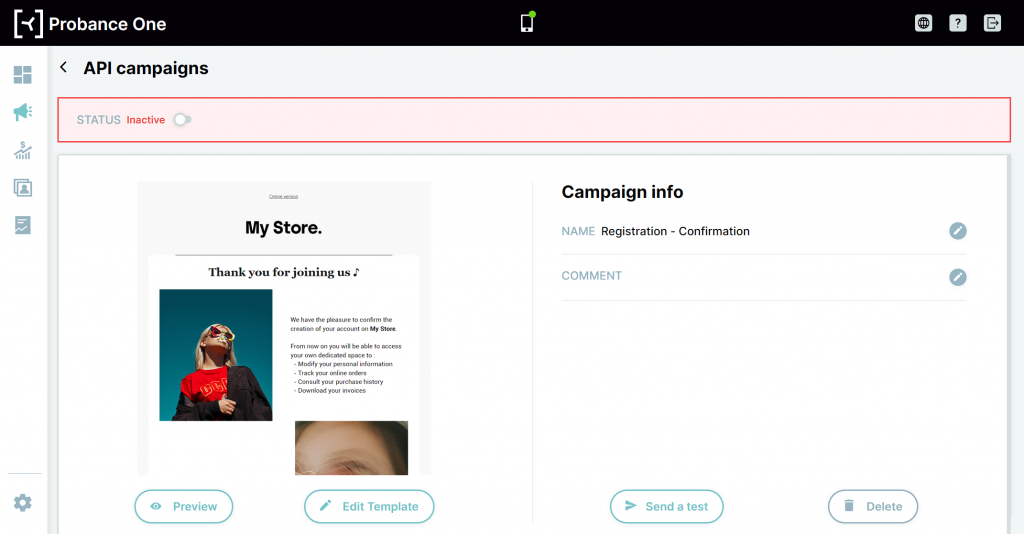
Once your campaign is ready, you won’t need the full json call to integrate it with our Woocommerce module. Only its identifier – or campaign_external_id – will be required.
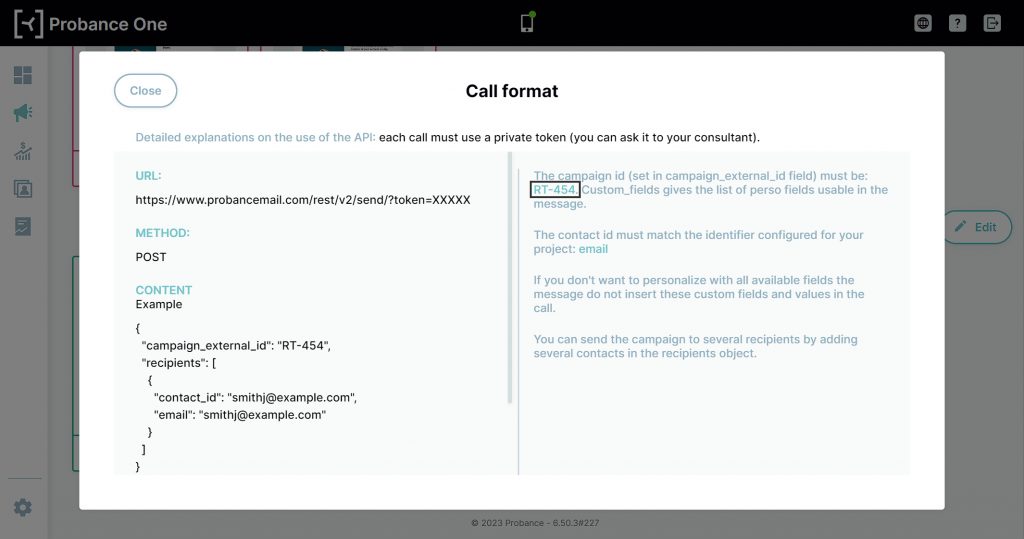
2. Configure the Optin module
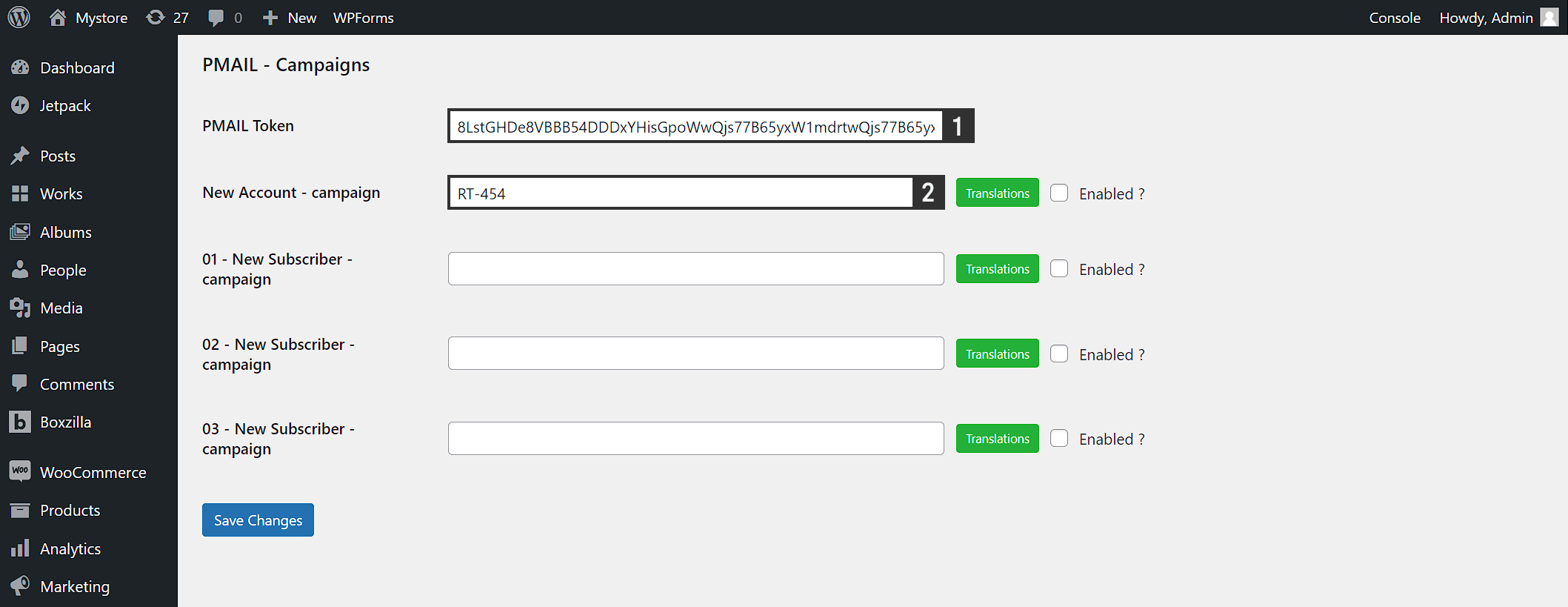
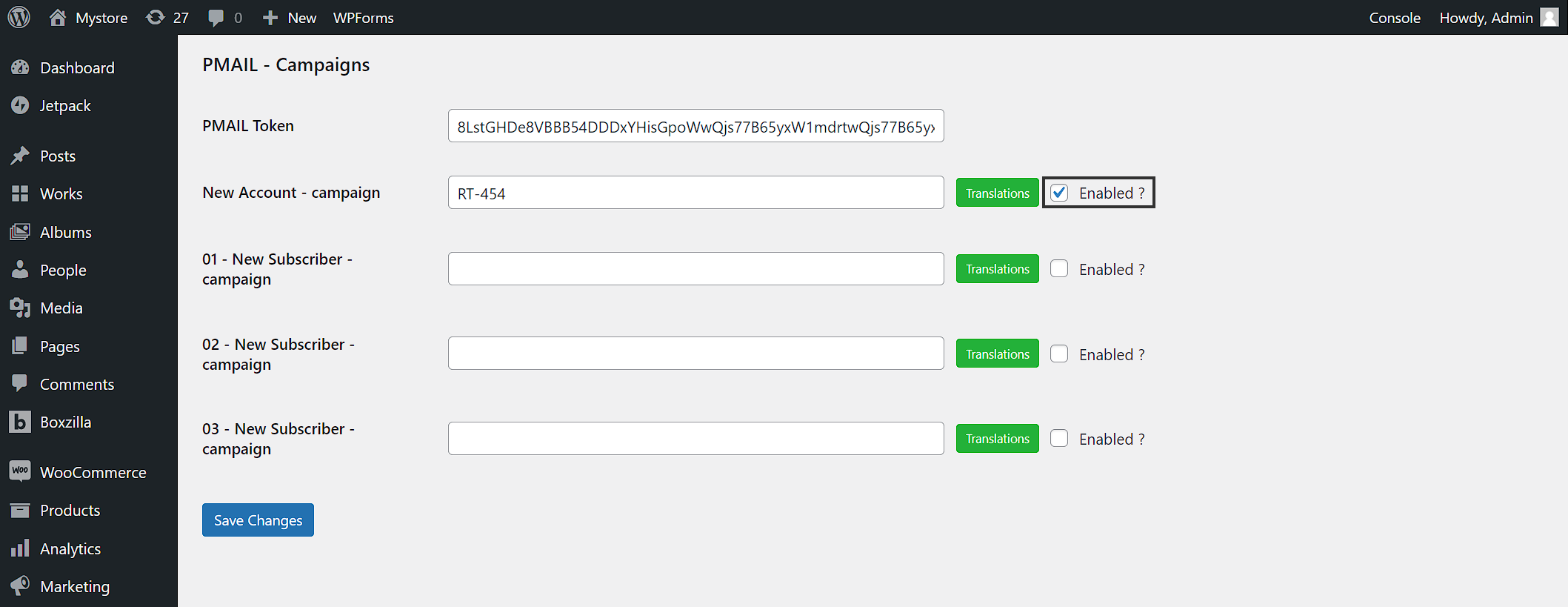
In your wordpress administration board, access the menu Probance > Optin >PMAIL – Campaigns.
- Fill in the PMAIL Token field with API token of your Pmail platform. Contact your Probance consultant to get the token.
- Fill in the New Account – campaign field with the identifier of your API campaign
3. Start the sendings
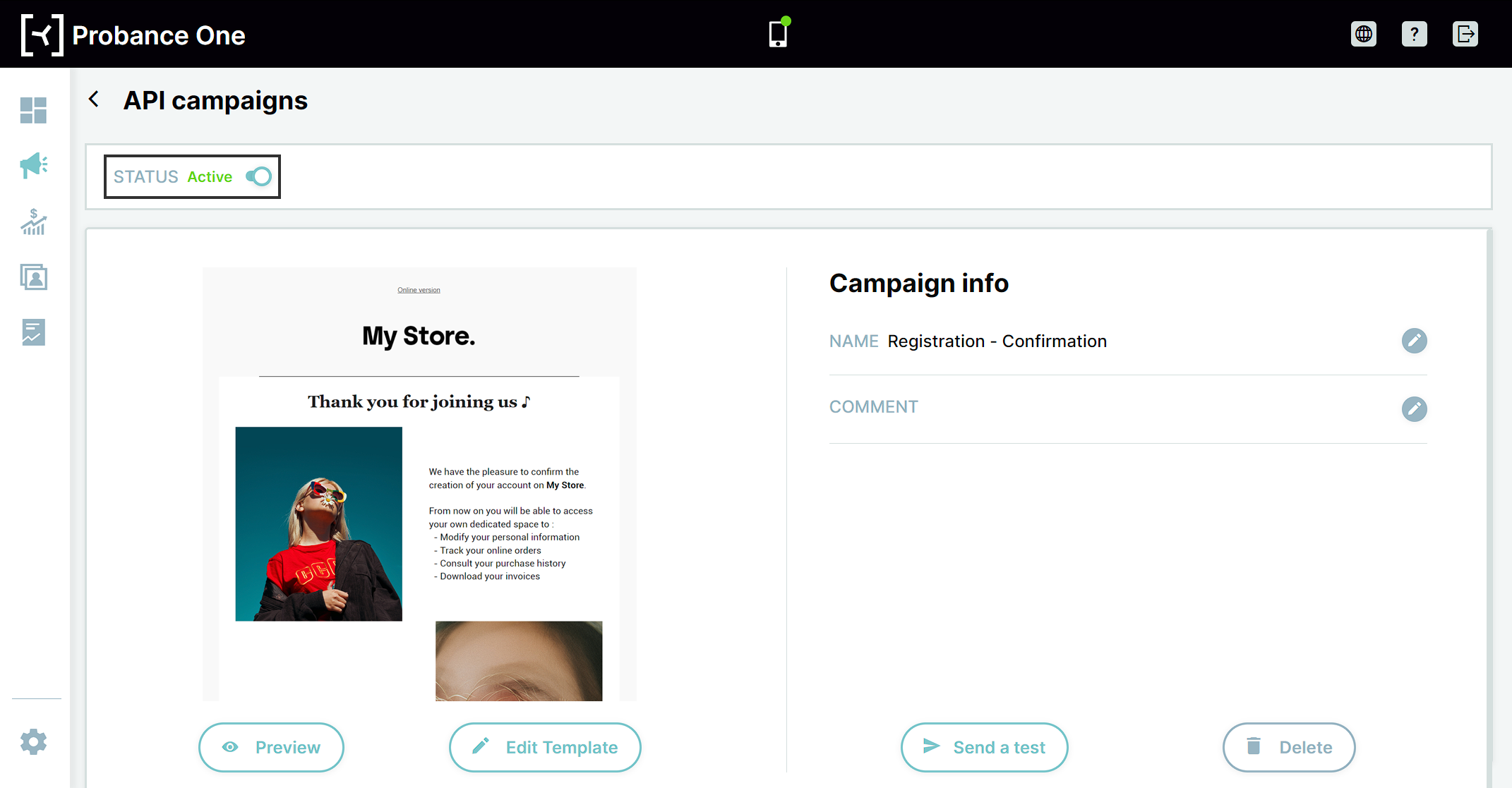
The sending will only start once the campaign is enabled in the Optin module, and the API campaign is activate in Probance One.
- To activate the API campaign in Probance One, switch its Status to Active in the campaign page.
- To enable the campaign in the Optin module, check the Enabled option of the New Account – campaign field.
4. Option: multilingual mode
The module also allows you to configure the campaign in several languages. This option requires the creation of several API campaigns in PONE, one in every language you wish to cover.
Click on the Translation button next to the New Account – campaign field.
In the popup that displays, each tab correspond to a language, and can be filled in with a campaign identifier: you can therefore define which campaign will be sent to which contact based on their browsing language at the moment of their registration.
If there is no specific settings for the language of a contact, they will receive the campaign set directly in the New Account – campaign field.